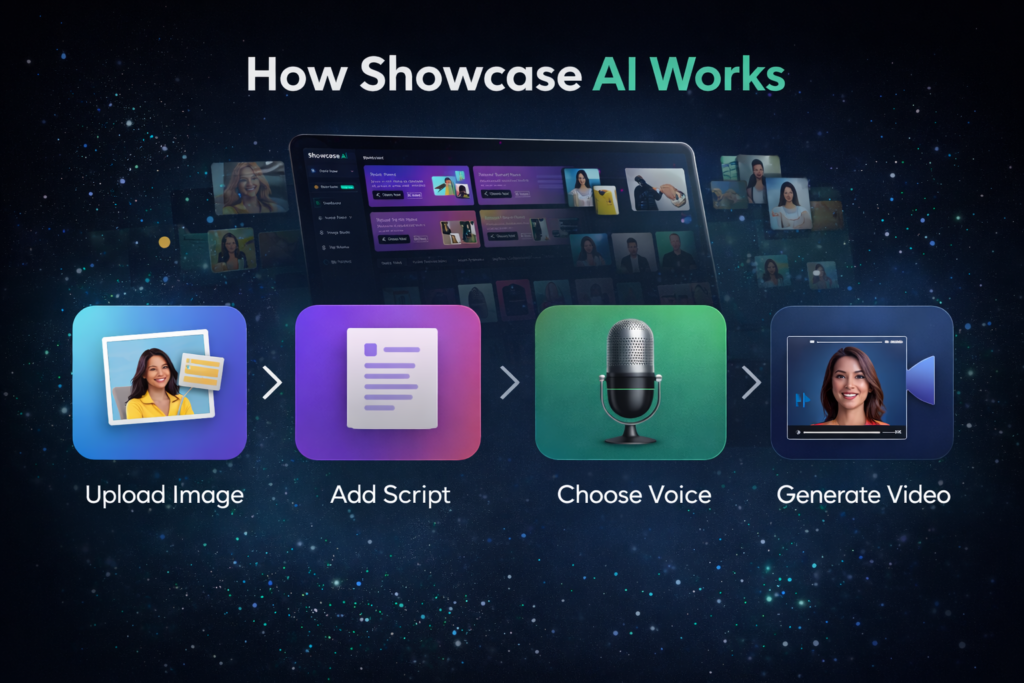
If you’re wondering how Showcase AI actually works, this page will walk you through the full process in simple, practical terms.
No technical jargon.
No confusing explanations.
Just the real workflow from start to finish.
By the end of this page, you’ll clearly understand:
- What you need to get started
- How the platform generates videos
- How long it takes
- And what kind of results you can realistically expect
If you want a deeper explanation covering features, pricing, upgrades, and real-world use cases, you can read the detailed Showcase AI review for a complete overview.
The Simple Explanation
In simple terms, Showcase AI works like this:
You upload an image → choose a video style → add a script → select a voice → click generate → download your video.
That’s the entire system.
Everything else is just customization.
Step 1 – Upload Your Image
The first step in Showcase AI is uploading an image.
This can be:
- Your own photo
- A stock image
- A product photo
- A spokesperson image
- A model image
The better the image quality, the better the final video.
Best practices for images:
- Use clear, front-facing photos
- Avoid blurry or low-resolution images
- Keep the face visible for avatars
- Use clean product images for showcases
You don’t need professional photos. Even basic smartphone images work well.
Step 2 – Choose the Video Type
After uploading your image, you choose what kind of video you want to create.
Showcase AI offers multiple formats, including:
- Talking avatar videos
- Product avatar videos
- Product showcase videos
- AI ad videos
- Virtual try-on videos
Each format has a slightly different purpose:
| Video Type | Best For |
|---|---|
| Talking Avatar | Explainers, reviews, intros |
| Product Avatar | Demos, affiliate videos |
| Product Showcase | Ads, landing pages |
| AI Ad Videos | TikTok, Facebook, YouTube |
| Virtual Try-On | Fashion, accessories |
You’re not locked into one format. You can switch between them anytime.
Step 3 – Add Your Script (Or Let AI Write It)
Now comes the message.
You can either:
- Write your own script
- Or let Showcase AI generate one automatically
For most users, the best results come from:
- Short, clear scripts
- 30 to 60 seconds long
- Simple language
- Conversational tone
Example script style:
“Hi, I want to show you a simple tool that helps you create professional videos without filming anything…”
You don’t need to be a copywriter. Simple sentences work best.
Step 4 – Choose a Voice
Next, you select the voice for your video.
You can use:
- Built-in AI voices
- Or your own cloned voice (Pro feature)
Built-in voices:
You can choose:
- Male or female
- Different accents
- Different tones
- Different speeds
Voice cloning:
If you enable voice cloning:
- You upload a short voice sample
- The system learns your voice
- All future videos sound like you
This is especially powerful for:
- Personal brands
- Coaches
- Educators
- YouTube creators
It keeps your content consistent without re-recording.
Step 5 – Customize the Look (Optional)
Before generating, you can customize:
- Backgrounds
- Lighting styles
- Avatar appearance
- Camera framing
- Text overlays
This step is optional, but useful if you want:
- Brand consistency
- Better visual aesthetics
- Different styles for different platforms
Most beginners skip this at first and still get great results.
Step 6 – Generate the Video
Now comes the magic part.
You click Generate, and Showcase AI:
- Animates the face
- Syncs lips to the script
- Adds expressions and gestures
- Applies the selected style
- Renders the final video
This usually takes:
- 30 seconds to a few minutes
- Depending on length and complexity
No editing. No timeline. No waiting hours.
Step 7 – Download and Use Your Video
Once the video is ready, you can:
- Download it
- Post it on social media
- Add it to a website
- Use it in ads
- Send it to clients
There are no watermarks (on paid plans), and you can use the videos for:
- Personal projects
- Business use
- Client work
- Commercial campaigns
How Long Does It Take to Create a Video?
This surprises most people.
With Showcase AI, a typical workflow looks like:
| Task | Time |
|---|---|
| Upload image | 30 seconds |
| Write script | 2–5 minutes |
| Choose voice | 1 minute |
| Generate video | 1–3 minutes |
So realistically:
You can create a professional video in under 10 minutes.
Compare that to:
- Traditional filming (hours)
- Editing (days)
- Hiring freelancers (weeks)
The time savings are massive.
Do You Need Any Technical Skills?
No.
You do not need:
- Video editing skills
- Design knowledge
- Marketing background
- Coding experience
If you can:
- Upload a file
- Type a sentence
- Click a button
You can use Showcase AI.
This is why it works so well for:
- Beginners
- Business owners
- Freelancers
- Coaches
- Non-tech users
The interface feels more like Canva than a video editor.
What Happens Behind the Scenes?
Behind the scenes, Showcase AI uses:
- AI image animation models
- Natural language processing
- Voice synthesis engines
- Facial motion algorithms
- Rendering systems
But as a user, you don’t see any of that.
You only see:
Input → Output.
That’s intentional.
The goal is not to make you feel “technical”, but to make you feel productive.
How Good Are the Results?
The quality depends on three things:
- Image quality
- Script clarity
- Video type
With a decent image and a clear script, results are:
- Smooth
- Natural
- Social-media ready
- Ad-friendly
Is it Hollywood-level? No.
Is it better than most cheap freelancer videos? Yes.
For marketing and content, the quality is more than enough to convert.
Common Beginner Mistakes (And How to Avoid Them)
Mistake 1 – Using Poor Images
Blurry images = weaker output.
Always start with clear visuals.
Mistake 2 – Writing Long Scripts
Long scripts make avatars look unnatural.
Keep videos short and focused.
Mistake 3 – Over-customizing
Don’t spend 30 minutes tweaking colors.
Speed beats perfection.
Mistake 4 – Expecting Perfection
This is a marketing tool, not a film studio.
Once you understand these limits, satisfaction goes way up.
Real-Life Example Workflow
Here’s a realistic example:
You want to promote a new product.
- Upload product image
- Choose “Product Avatar”
- Write 45-second script
- Select voice
- Generate video
- Post on TikTok and Instagram
Total time: ~10 minutes.
That’s how people use Showcase AI in real life.
Final Thoughts on How Showcase AI Works
The real power of Showcase AI is not in complexity.
It’s in simplicity.
It removes:
- Filming
- Editing
- Hiring
- Technical friction
And replaces it with:
Images + Scripts + One Click.
If your goal is to create more content, test more ideas, and move faster in digital marketing, the way Showcase AI works is almost ideal.
It doesn’t make you a filmmaker.
It makes you a publisher.
And in 2026, speed and consistency win.